


Accidental Text Stroking is a thing of the Past with CS4


One of the annoyances that I often come across is having the stroke forward by accident. This can be problematic when you are dealing with text. Prior to CS4, problems could occur if you are changing the stroke on your graphic frame, but immediately try to change the color of text. Since you had the stroke forward on your frame, InDesign would keep the stroke forward for the text.
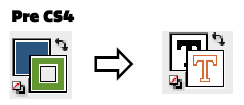

In InDesign CS4 this “problem” have been resolved. When your stroke is forward on a frame InDesign remembers where it is, but as soon as you switch to your type tool the text fill will be forward (if that was its last position). When you are done with the text and switch back to your arrow the stoke will be back in front again.

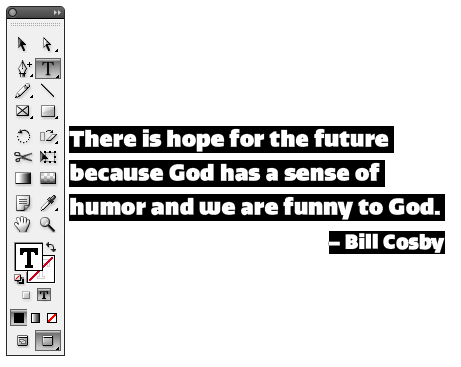
At first this can seem a little alarming, but I now really enjoy the fact that if I am changing the stroke on a frame, I no longer have to worry about changing the color of my text.
 |
I don’t know how many times I’ve done that. Might be worth to cost of the upgrade from CS3 just for that!
@Chris, that is my feeling too with CS4. Yes there are some big news features (preflight, swf, etc), but I find the little things are what I like most.
Amazing, I hadn’t even noticed this had changed! Stroking text was a daily event with CS3 :(
God–that always irked me, and slowed me down in CS3.
I finally trained myself to switch “properly” and I still am in the mindest of that, even in CS4. I’m glad to see it’s fixed.
Now James Fritz is famous also in the german speaking world ;-)
https://blog.smi.ch/2009/06/17/indesign-cs4-zeichenkontur/
Now David Hasselhoff and I have something in common, the German’s love both of us. I guess I have to release an album now.